
To Watch the Legislative Sessions, How to Search for a Bill, Looking at the Bill information.
Go to www.OregonLegislature.gov
Then click on the OLIS icon.
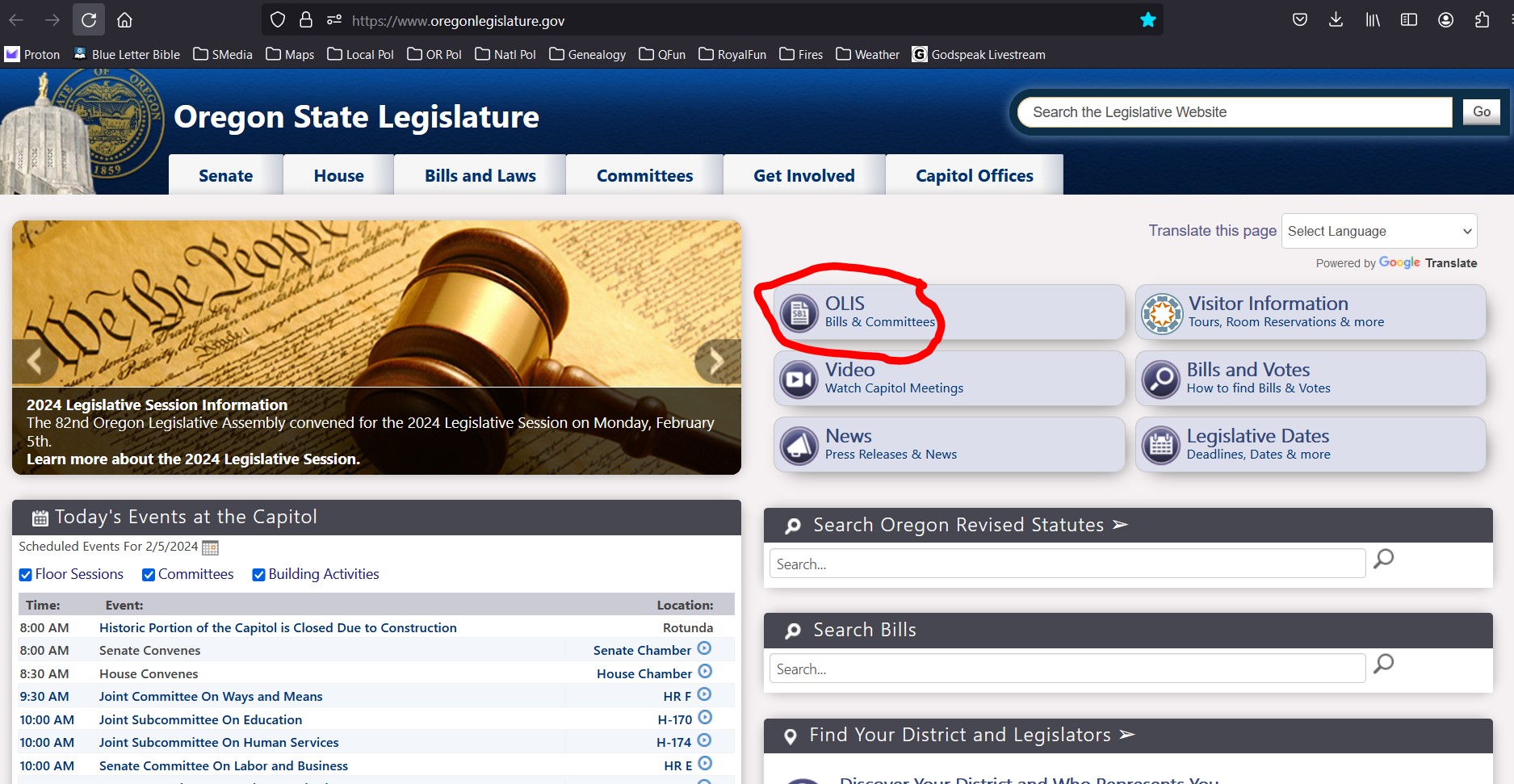
This is OLIS, Oregon Legislative Information System.
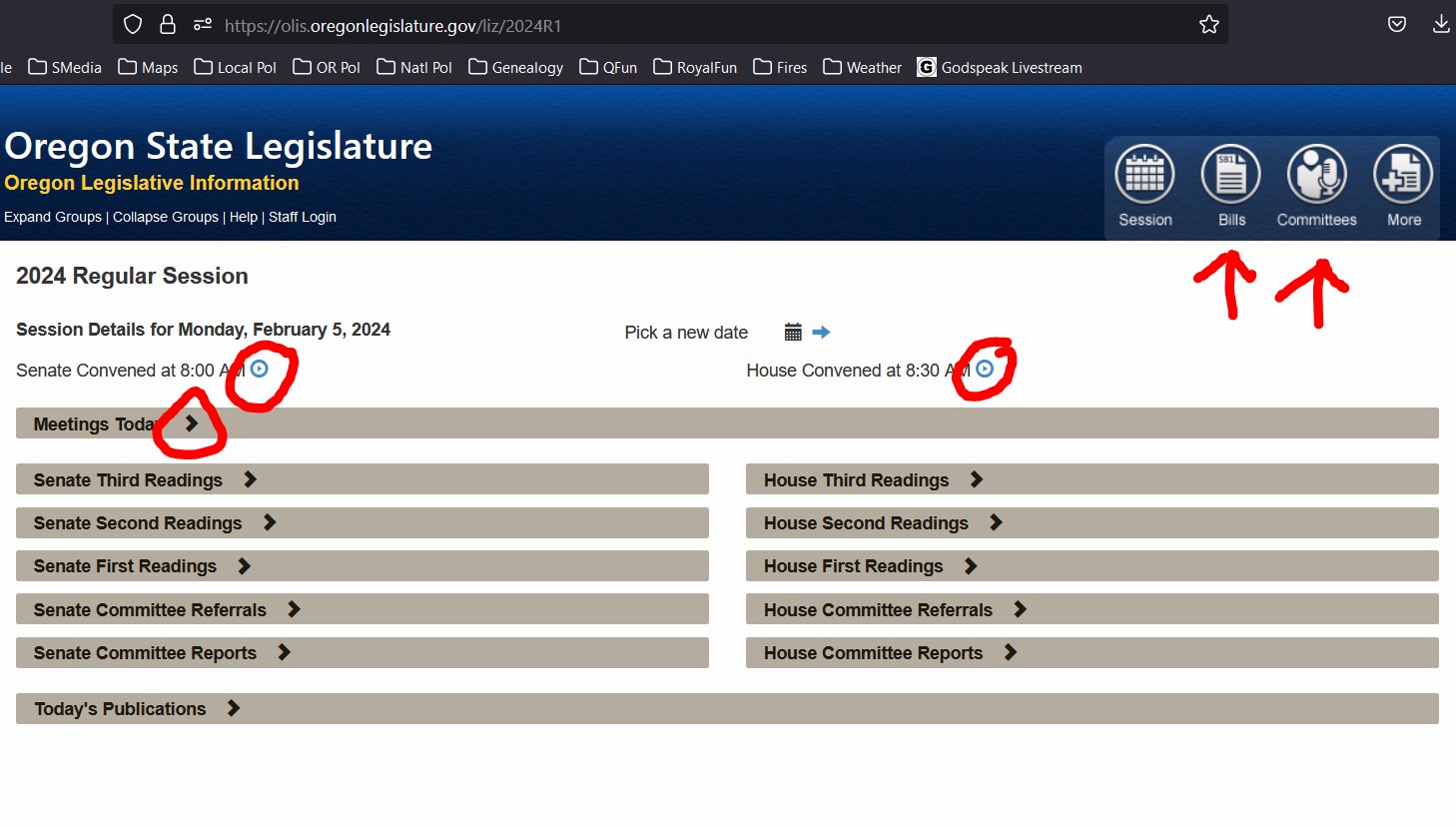
Note this is for today, Monday, Feb. 5th.
One can see the Senate convened, and the “play” button is circled in red. (Or it could be a “camera” icon if the session is in progress/live).
The House also convened and has a “play” button also.
The right arrows “>” will open more information.
Also note the Bills icon will allow one to search for bills.
The Committees icon will allow one to search for a committee.
If one clicks on the “Bills” icon, it will open a window to allow the searching of bills.
At the red arrow, you can search by “Bill Number” or “Bill Text” or “Bill Sponsor”.
The blue right arrows “>” (circled in red) will open more information.
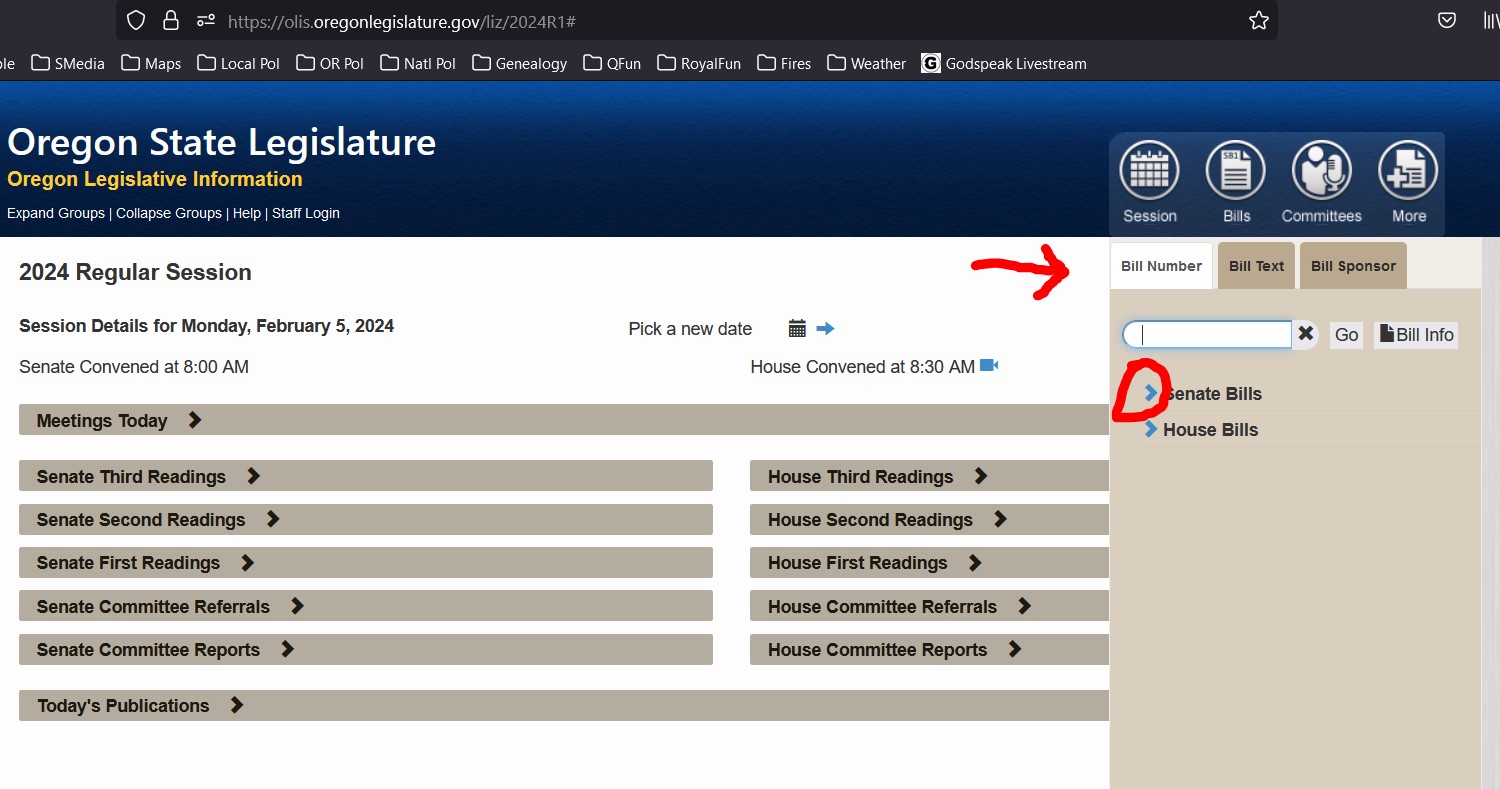
When you open more information on the Senate Bills or the House Bills, it will look like this below.
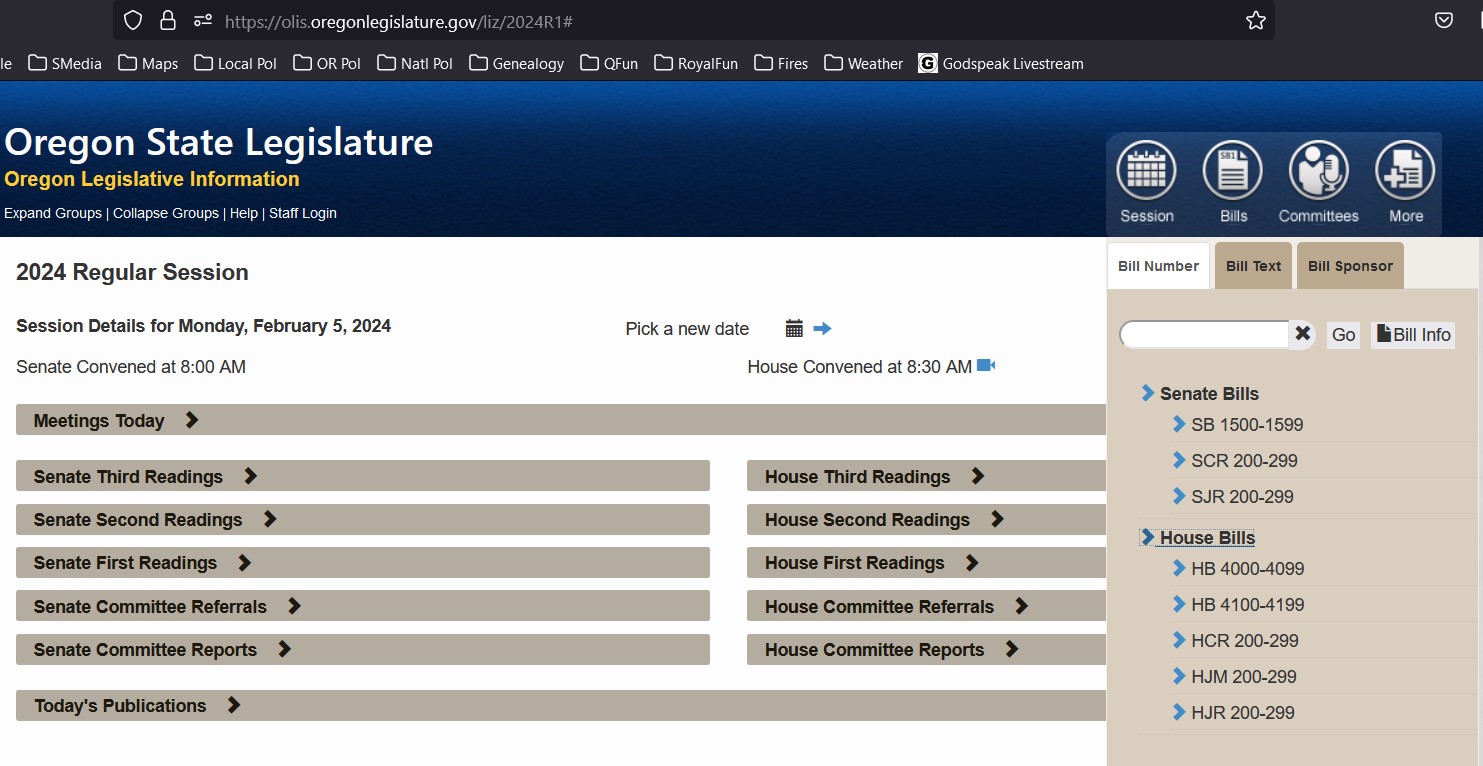
Senate Bills
SB = Senate Bill, these do go to the Governor, they can become laws.
SCR = Senate Concurrent Resolution honoring someone in Oregon. They do not go to the governor, do not have the force of law.
SJM = Senate Joint Memorial these go to Congress. They do not go to the governor.
SJR = Senate Joint Resolution, these are about our Oregon Constitution.
SR = Senate Resolution, these are about internal issues.
House Bills
HB = House Bill, Numbers 4000-4099 are regular bills. Numbers 4100-4199 are budget bills. These do go to the governor if passed. They can become laws.
HCR = House Concurrent Resolution honoring someone in Oregon. They do not go to the governor, do not have the force of law.
HJM = House Joint Memorial these go to Congress. They do not go to the governor.
HJR = House Joint Resolution, these are about our Oregon Constitution
HR = House Resolution, these are about internal issues.
One can open a section of bills, then hover over the bill number to get a summary of the bill.
Now enter “SCR202” in the search box, and click on it.
This is the Bill Summary info:
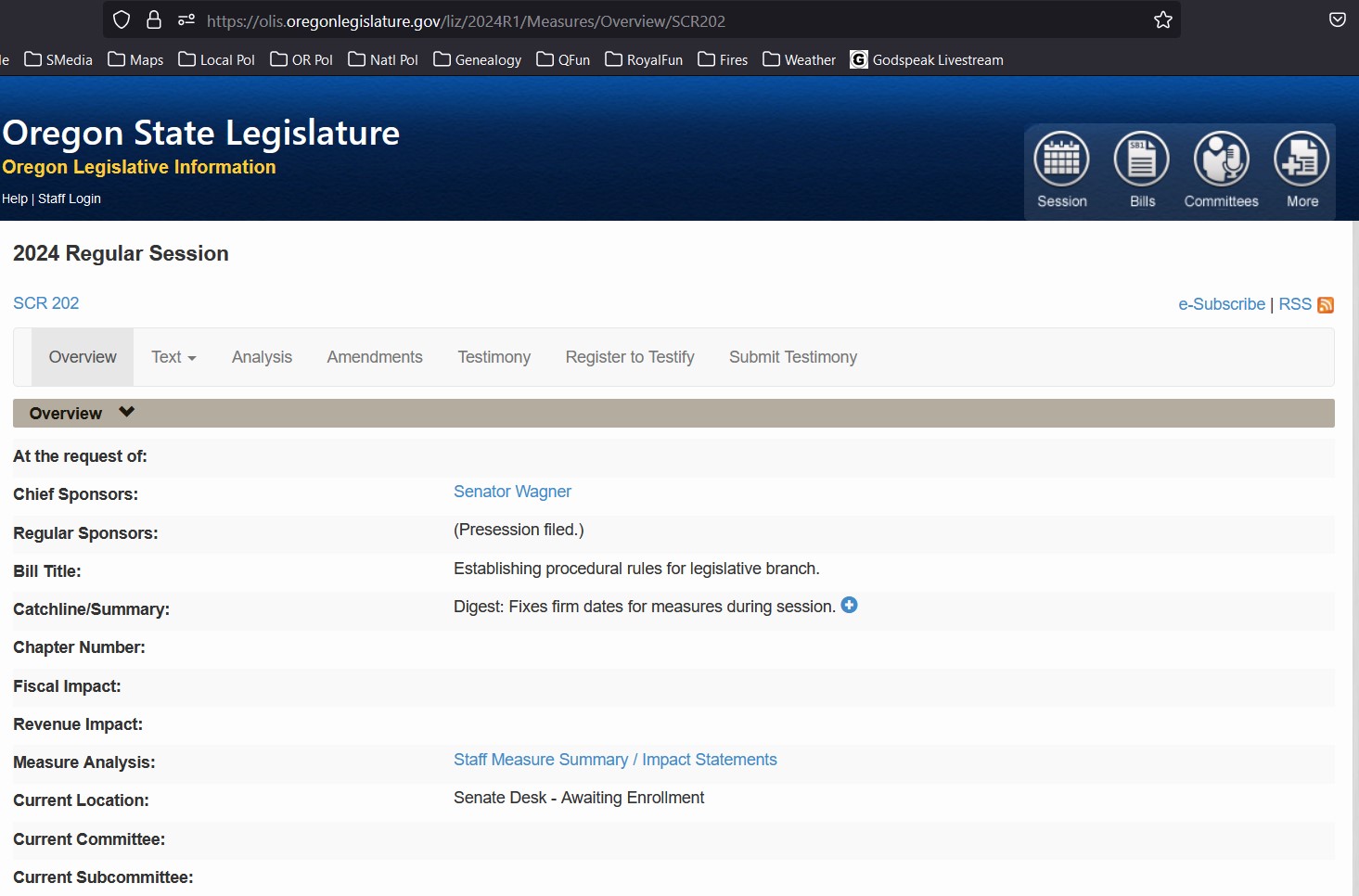
Note it says "SCR202" blue letters. This is the actual text of the bill. It is clickable and will download a PDF version of the bill.
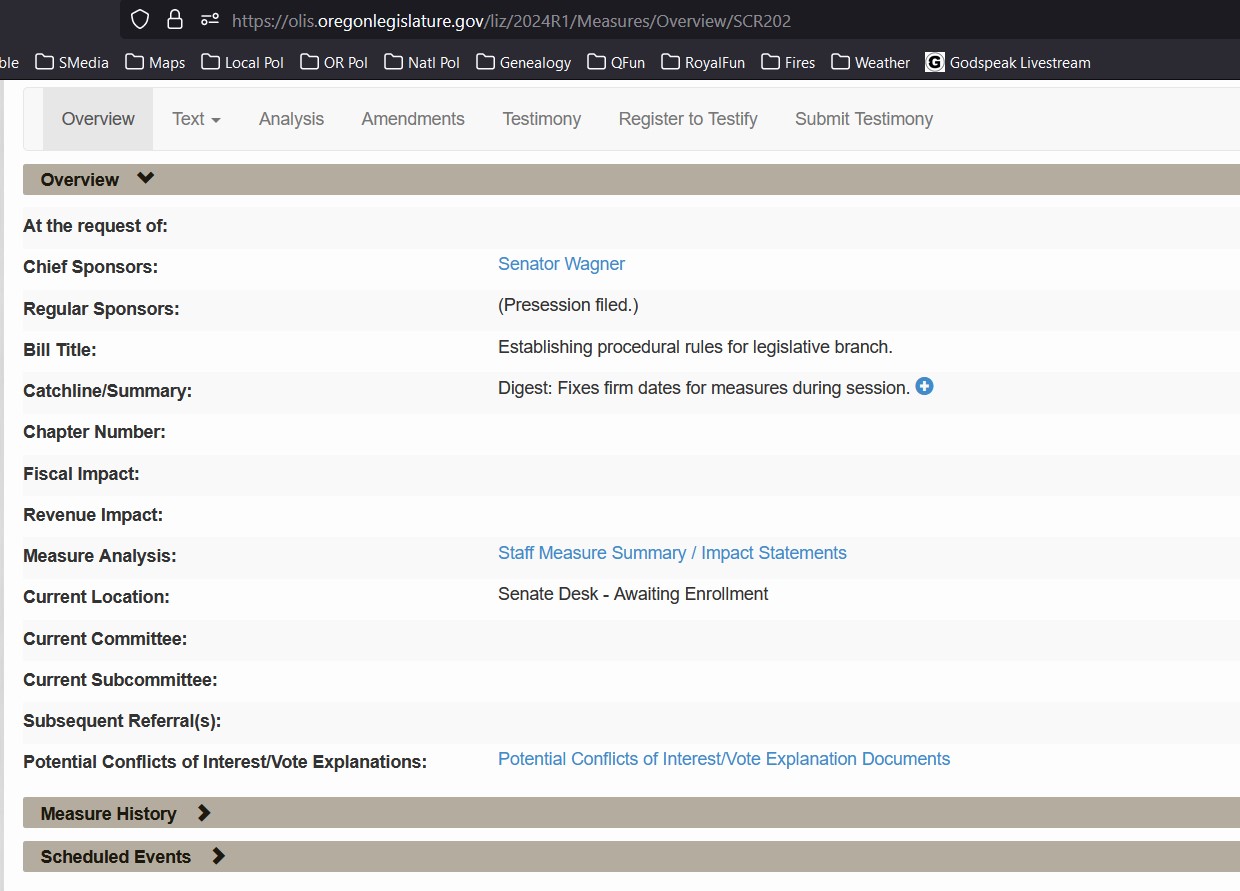
On "Measure History" and "Scheduled Events" there are right arrows ">" that may be opened for more information.
Now a screenshot of them open:
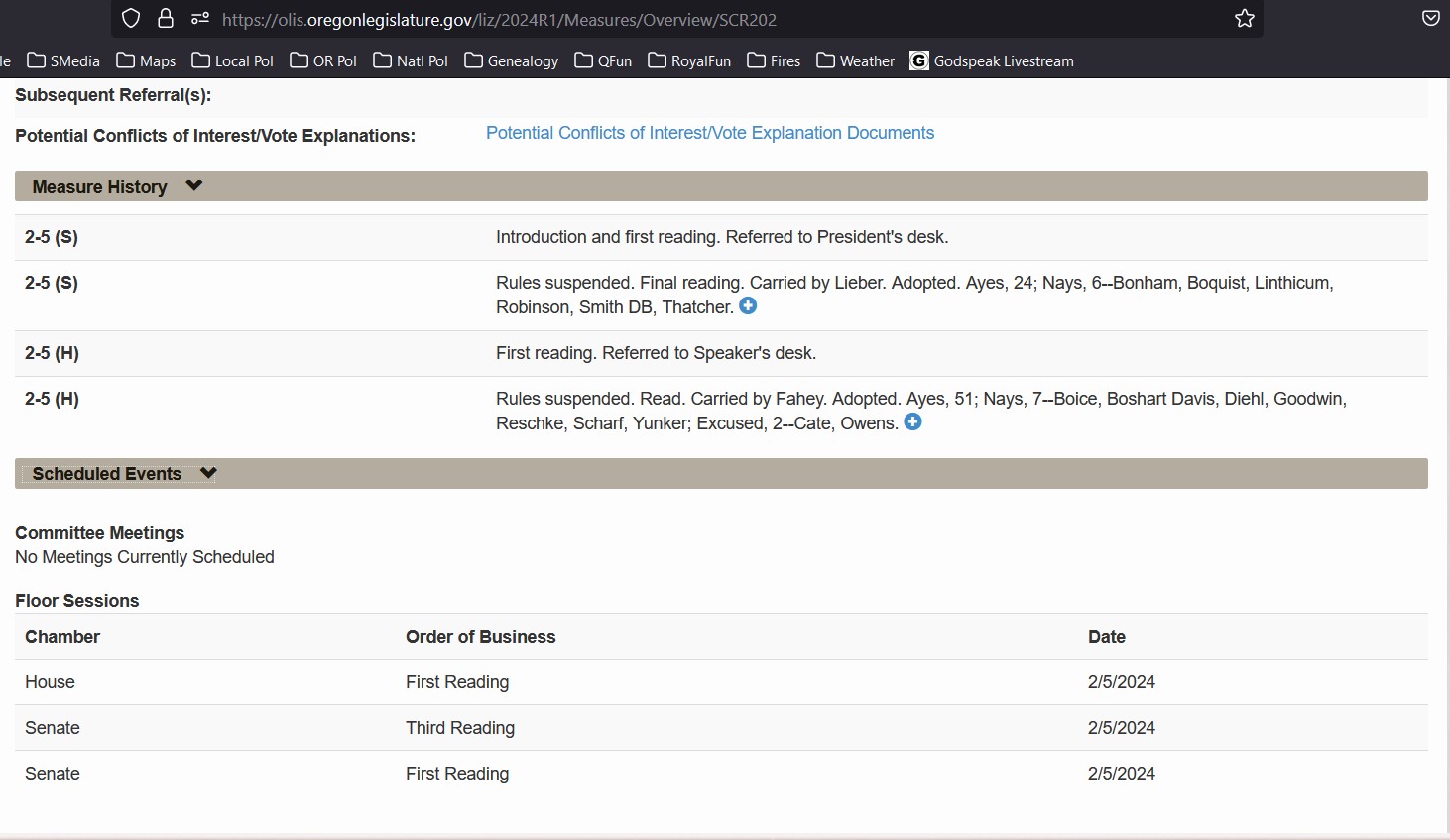
The "Measure History" shows the bill was acted upon on Feb. 5 (2-5) in the Senate (S). One can click on the blue "plus" button to see the full vote.
It also shows the bill was acted upon on Feb. 5 (2-5) in the House (H).
"Scheduled Events" will show any Committee hearings, the date and time, and either a "video camera" icon if the hearing is live, or a "play" icon if the recording is posted.
--- The End ---